
Shopify ecommerce platform detection methods are used to identify whether a website is built on Shopify. For sales teams, agencies, and ecommerce data providers, that insight can support better prospecting, competitor research, and market segmentation. Some Shopify stores reveal themselves through obvious technical signals like cdn.shopify.com, Shopify-hosted assets, or other storefront references in the page source. Others require deeper inspection and a more structured detection approach.
In this guide, we’ll cover the most reliable ways to detect Shopify websites, the limitations of manual checks, and why combining multiple signals leads to more accurate results than relying on any single method alone.
Key Takeaways
- Most accurate overall: combine multiple signals.
- Most accurate single method: inspect page source and DevTools.
- Best fast first-pass method: technology lookup tools and browser extensions.
- Best supporting method: review
robots.txtandsitemap.xml.
Why Shopify Detection Matters?
Shopify detection matters because it helps teams identify whether a website uses Shopify. This is useful for lead generation, competitor analysis, market research, ecommerce segmentation, and website technology enrichment.
For sales teams, detecting Shopify stores helps qualify leads and improve outreach. For marketers and researchers, it makes it easier to group ecommerce websites by platform, compare Shopify competitors, and analyze adoption across markets. It also helps data teams enrich company records with accurate ecommerce platform data, leading to better targeting, stronger segmentation, and more informed decisions.
Which Shopify Signals Are Most Reliable?
Not every Shopify signal carries the same weight. Some clues, like URL patterns, are helpful but weak on their own, while others, like checkout behavior or Shopify-hosted assets, are much stronger indicators.
| Signal | Confidence | Why It Helps | Where It Fails |
|---|---|---|---|
| Shopify-hosted assets in page source | High | Strong technical signal tied to Shopify storefront files and CDN paths | Can be hidden on heavily customized or headless builds |
| Technology lookup tools and browser extensions | Medium | Fast way to identify Shopify without manual inspection | Can miss custom setups or return false positives |
robots.txt and sitemap.xml patterns | Medium | Useful supporting signal from public technical files | Merchants can customize these files, and headless setups may differ |
| Shopify-specific DevTools signals | High | Reveals JavaScript references, network requests, and other browser-level Shopify clues | Requires manual inspection and more technical effort |
| Multiple signals combined | Highest | Most accurate approach because it reduces false positives | Takes more time and may require tooling or structured checks |
In most cases, the most accurate way to detect Shopify is to combine multiple signals instead of relying on a single clue. That approach reduces false positives and gives a clearer view of whether a website is actually built on Shopify.
Top 4 Shopify Ecommerce Platform Detection Methods
There are many ways to identify a Shopify store, but not all of them offer the same level of confidence. Some methods are useful for a quick first check, while others provide stronger proof that a website is built on Shopify.
Below are four of the most reliable Shopify ecommerce platform detection methods, from quick checks to higher-confidence technical validation.
1. Inspect Page Source for Shopify Assets (Shopify CDN and Storefront Scripts)
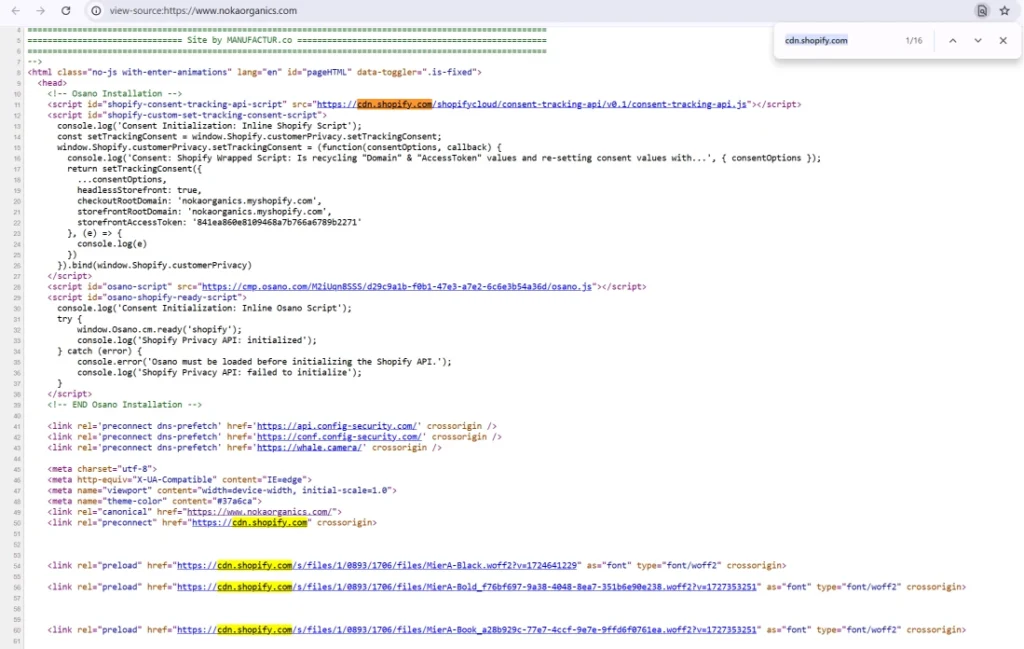
Inspecting the page source is one of the easiest ways to detect Shopify. Many Shopify stores load theme files, scripts, images, and stylesheets through Shopify-hosted asset paths, which often appear in the source code as cdn.shopify.com, /cdn/shop/, or other Shopify-related references.
To check this, open the website, view the page source, and search for terms like shopify, cdn.shopify.com, or /cdn/shop/. If those patterns appear in scripts, stylesheets, or image URLs, that is a strong sign the website is built on Shopify.
This method works well because standard Shopify storefronts usually follow recognizable asset patterns. However, it is not perfect. Some heavily customized or headless Shopify websites may hide these signals, which is why page source checks are best used alongside other detection methods.
2. Use Technology Lookup Tools and Browser Extensions
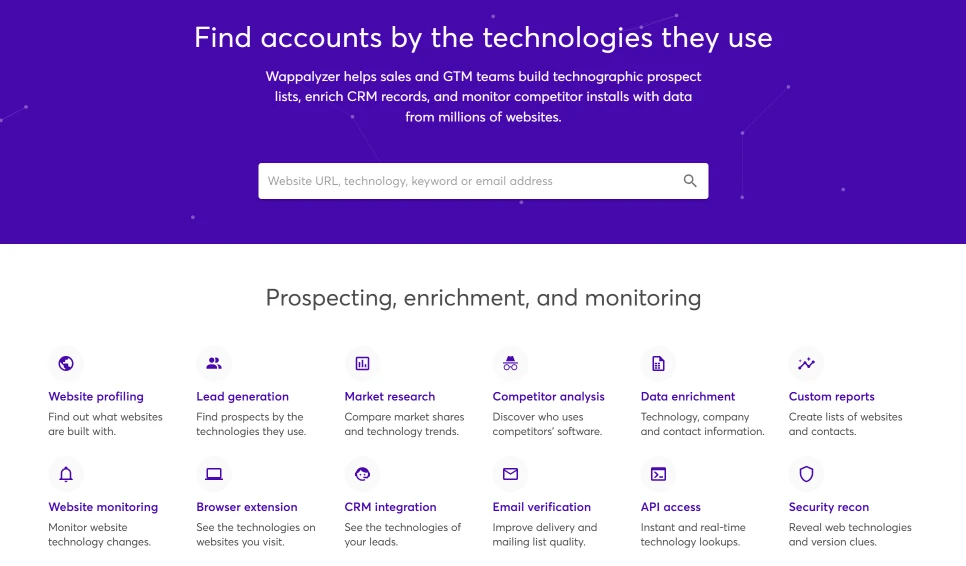
Technology lookup tools can help you identify Shopify quickly before doing a deeper manual check. Wappalyzer is one of the most widely used browser extensions for this. It identifies technologies used on a website, including ecommerce platforms like Shopify.
For more Shopify-specific analysis, Store Detector – Shopify Analysis & Dropship Tool is another browser extension that can surface Shopify themes, apps, and product insights.
If you want a non-extension option, Wappalyzer’s Technology Lookup works as a web-based tool for checking the technologies behind a site. These tools are useful for a quick Shopify detection check, but the most accurate results come from confirming them with stronger signals like page source, Shopify-hosted assets, and DevTools inspection.
3. Review robots.txt and Sitemap Patterns
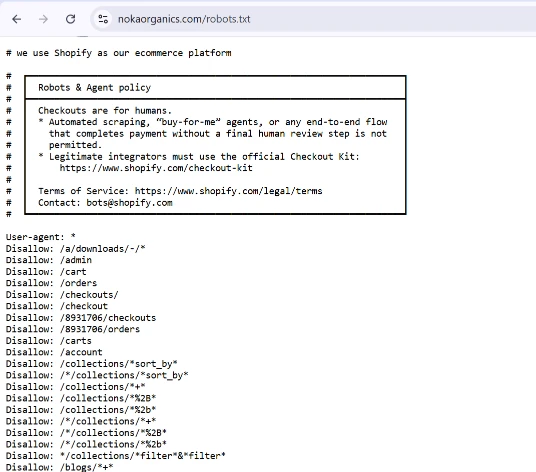
Reviewing robots.txt and sitemap.xml can help confirm whether a website uses Shopify. Shopify stores automatically generate both files, and the sitemap often includes links to products, pages, collections, blog posts, and images in a structure commonly seen on Shopify sites.
This is a useful supporting method because it checks public technical files rather than visible storefront elements. However, it should not be treated as final proof. Merchants can customize robots.txt, and headless Shopify storefronts may use a different setup, so this method works best when combined with stronger signals like page source or DevTools inspection.
4. Inspect Developer Tools for Shopify-Specific Technical Signals
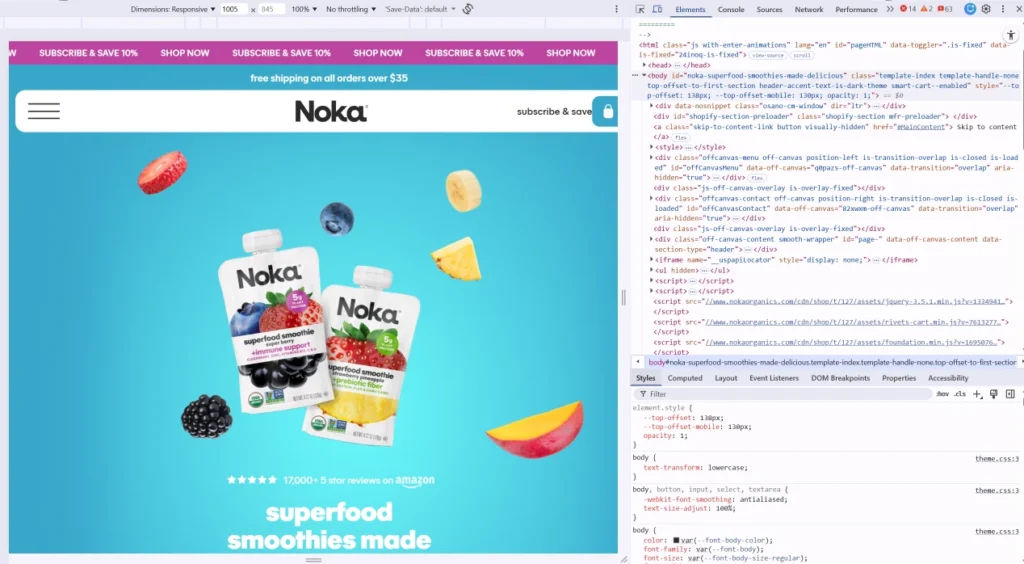
If page source, public files, and lookup tools are not enough, open Inspect or DevTools and check for Shopify-specific signals in the browser. This method is useful because it shows what the website is actually loading and running behind the scenes, not just what appears on the page.
Check for Shopify JavaScript References
Start in the Elements, Sources, or Console tabs and search for Shopify-related references. Common examples include Shopify, Shopify.theme, shopify-section, or a .myshopify.com domain. If these appear in the browser, they are strong signs the website is connected to Shopify.
Inspect Network Requests for Shopify-Hosted Assets
Next, open the Network tab and reload the page. Look for requests tied to Shopify-hosted assets, such as cdn.shopify.com, /cdn/shop/, or other Shopify-related files. This is stronger than a visual check because it shows the actual assets and services the site depends on.
Look for Shopify Cart and Product Endpoints
The Network tab can also reveal storefront behavior linked to Shopify. Look for cart requests, product data requests, or other storefront endpoints that suggest the site is running on Shopify’s ecommerce framework. These technical signals can help confirm Shopify when the frontend is heavily customized.
Use Cookies and Storage Only as Supporting Evidence
The Application tab may show Shopify-related cookies, local storage, or session storage entries. These clues can be helpful, but they are weaker than JavaScript references or network requests. Treat them as supporting evidence, not final proof.
Confirm Shopify with Multiple DevTools Signals
The strongest DevTools check comes from finding several Shopify signals at the same time. For example, if you see Shopify JavaScript references, Shopify-hosted asset requests, and storefront endpoints together, you can be much more confident the website uses Shopify.
Limitations of Shopify Detection
No single Shopify detection method is perfect on its own. Standard Shopify stores often leave clear technical signals, but those clues can become less obvious when a site is heavily customized. Some merchants modify public files, remove common storefront patterns, or rely on custom frontend implementations that hide the usual signs.
The biggest challenge is headless Shopify. In those cases, the storefront may not look or behave like a typical Shopify theme, even though Shopify still powers the ecommerce backend. That is why the most accurate Shopify detection comes from combining multiple checks instead of relying on one signal alone.
Frequently Asked Questions About Shopify Detection Methods
Below are some of the most common questions about Shopify ecommerce platform detection, including how to identify Shopify stores, which methods are most accurate, and where common detection signals can fail.
How Can You Tell if a Website Uses Shopify?
The best way to tell if a website uses Shopify is to look for technical signals rather than visual design clues. Strong indicators include Shopify-hosted assets in the page source, Shopify-related references in developer tools, and supporting evidence from robots.txt, sitemap.xml, or technology lookup tools.
In most cases, one clue is not enough on its own. A site may look like Shopify without being Shopify, or it may hide common storefront signals through customization. The most reliable approach is to confirm Shopify by checking more than one signal.
What Is the Most Accurate Shopify Detection Method?
The most accurate Shopify detection method is to combine multiple signals. Page source and developer tools usually provide the strongest technical proof, while lookup tools and public files help confirm what you find.
If you need the best single method, inspect the page source and browser DevTools. That gives you the clearest view of Shopify-hosted assets, JavaScript references, and storefront behavior that are much harder to fake than surface-level clues.
Are Browser Extensions Enough to Detect Shopify?
Browser extensions are useful for a quick first check, but they are not enough on their own if accuracy matters. Tools like Wappalyzer can quickly identify ecommerce platforms and save time, which makes them helpful for research, prospecting, and fast website reviews.
The limitation is that browser extensions only work with the signals they can detect automatically. If a Shopify store is heavily customized or uses a headless setup, the tool may miss it or return an incomplete result. That is why browser extensions should be treated as a starting point, not final proof.
Can Headless Shopify Stores Be Harder to Identify?
Yes, headless Shopify stores are usually harder to identify than standard Shopify storefronts. A headless setup can hide the familiar storefront patterns that many detection methods rely on, such as theme structure, asset paths, or visible Shopify references in the frontend.
That does not mean headless Shopify cannot be detected. It just means weaker methods become less reliable, and technical checks matter more. In those cases, developer tools, network requests, and multiple supporting signals become much more important.
Is cdn.shopify.com Proof That a Site Uses Shopify?
cdn.shopify.com is a strong Shopify signal, but it should not be treated as absolute proof on its own. In many cases, seeing Shopify-hosted assets in the page source or network requests is a very good sign that the website uses Shopify.
However, one signal alone can still be misleading. Older assets, partial Shopify implementations, or unusual custom setups can make the picture less clear. The safest approach is to treat cdn.shopify.com as strong supporting evidence and confirm it with at least one or two other Shopify-specific signals.